Active-time tracking
Per tab and per site, second by second. Background audio is counted separately, so totals never exceed real time at the screen.
TabStyr quietly measures active time per tab and site, then turns it into a calm dashboard — trends, an activity heatmap, focus scoring, and gentle stale-tab nudges. Every byte stays on your device.
No account · no servers · no tracking · MIT licensed
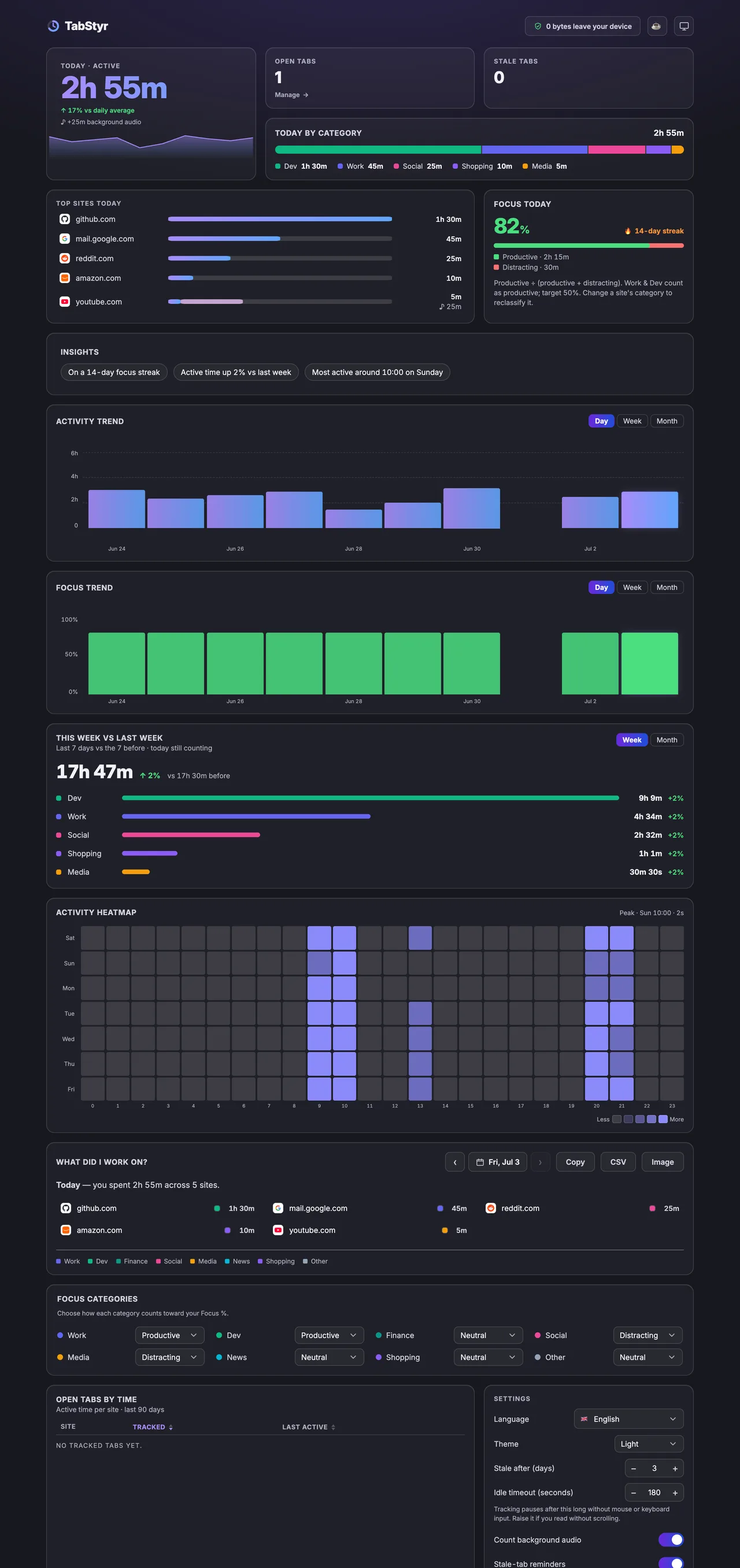
Per tab and per site, second by second. Background audio is counted separately, so totals never exceed real time at the screen.
Day / week / month activity trends, plus this-week-vs-last-week by category.
Your own split of productive and distracting time. You choose which categories count and set your own target.
Which hours of which days you actually browse — at a glance.
Work, Dev, Social, Media and more — recognized automatically. Re-classify any site with one click.
Export your full history as JSON, optionally passphrase-encrypted (AES-256-GCM). Restore on any device.
No setup, no account, no config to get right.
One click from the Chrome Web Store or Firefox Add-ons. No sign-up. Every permission is explained in the privacy policy, and none of them can read page content.
TabStyr tracks active time in the background — idle-aware, audio-aware, entirely on-device.
Trends, heatmap, focus score, and a full breakdown — right there, nothing to sync or wait for.
TabStyr turns each day's browsing into a short report of the sites you used. Paste it into a standup, a timesheet or your research notes.
Today — you spent 6h 10m across 4 sites.
Open the dashboard at the end of the day and the list is already there. No timers to start or stop.
Open the toolbar popup for an instant read; jump to the full dashboard for the detail. Both themes, designed to be glanced at — not studied.
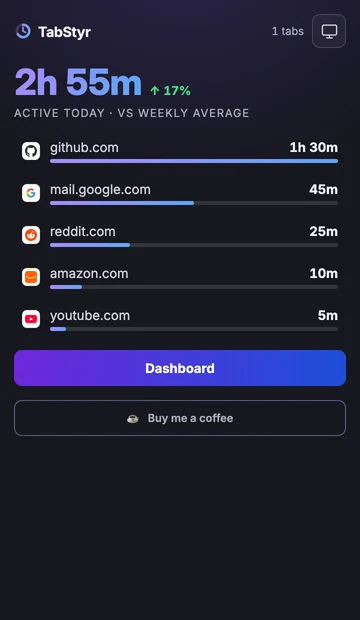
The popup gives you an instant read on today — then gets out of the way.
Drop your TabStyr export and get a gorgeous, shareable Browsing Wrapped — your time on the web, computed 100% in your browser.
Create your WrappedYour data is processed entirely in your browser.
Your data lives in your browser's own database (IndexedDB). Sessions and daily totals are deleted after 90 days, monthly per-site totals after 60 months. Export, restore, or wipe it any time, all offline.
Yes. The extension makes zero network requests, and its content-security policy even blocks them. Everything is stored locally in your browser. Sessions and daily totals are deleted after 90 days, monthly per-site totals after 60 months. You can export or wipe it all at any time.
No feedback widgets phoning home. Just a simple form with no account and no sign-in. Your message, and your email if you add one, go to the maker through Formspree.
Want a feature, a new metric, or hit something broken? Tell me right here — no account needed.
Open the formTabStyr is free and open source. A small tip keeps it going.
Buy me a coffeeTabStyr is open source (MIT). Read the code, check the privacy claims yourself, or follow new releases.
View on GitHubInstall in two clicks. Your browsing data never leaves the device. Uninstall removes everything.